 SuanSupply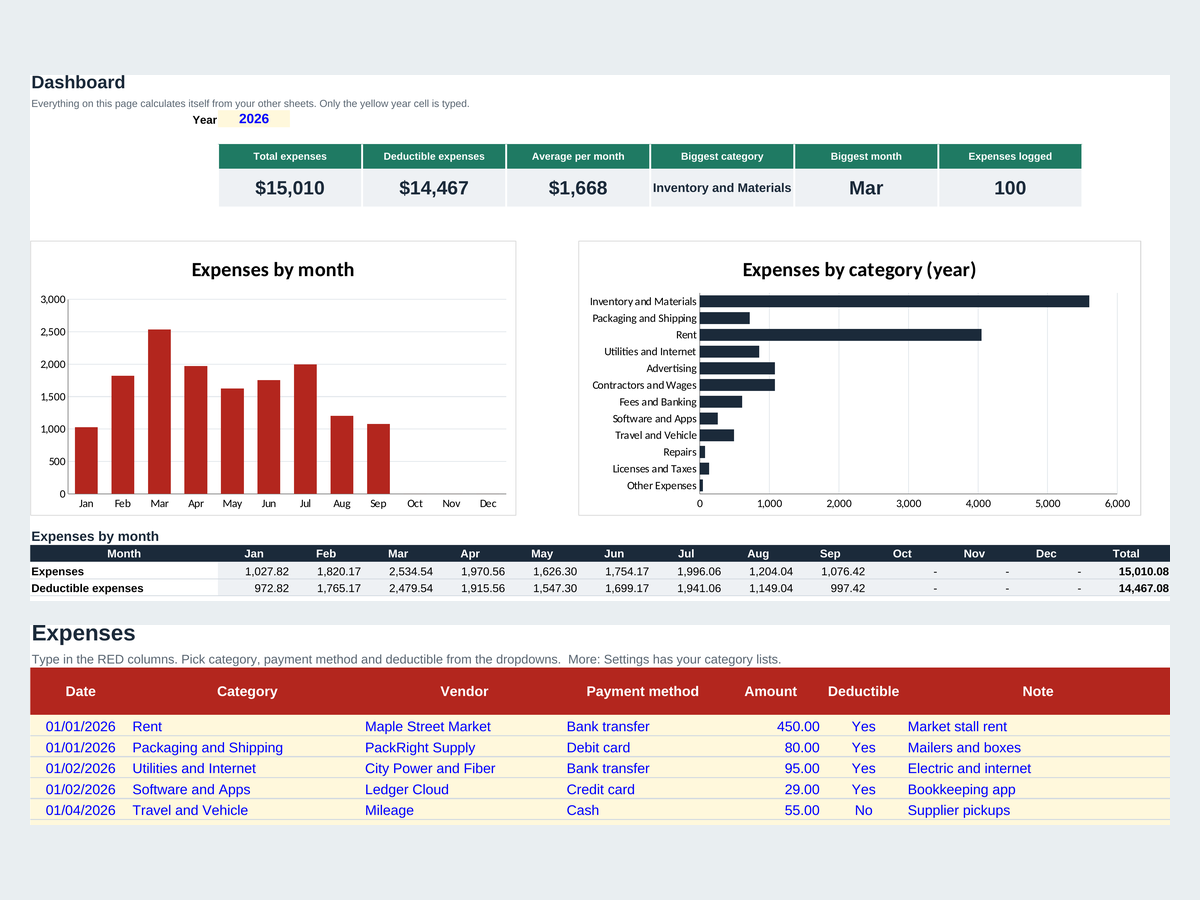
What's in the expense tracker template?
- Expenses sheet: date, category, vendor, payment method, amount, tax-deductible (yes or no) and a note for every expense
- Summary dashboard: total and deductible expenses, average per month, biggest category and biggest month, with 2 charts
- Expenses by category and month: a 12 x 12 table that fills itself in
- Settings: 12 categories, payment methods and your currency symbol, all renamable
- Example rows so you can see how it works, easy to clear
How do you use the expense tracker?
- Set your categoriesOn Settings, rename the categories to fit your business or household and type your currency symbol.
- Log each expenseOn Expenses, type the date and amount and pick the category, payment method and deductible from the dropdowns.
- Set the yearType the year in the yellow cell on Summary.
- Read the dashboardSummary updates by itself: see where the money goes each month and which category is growing.
How do you open it in Google Sheets?
Go to sheets.google.com, choose File > Import > Upload, pick the file and choose Replace spreadsheet. Or upload it to Google Drive and open it with Google Sheets. In Excel, just double-click the file.
Type only in the cells with red headers and light yellow fill. Grey cells hold formulas, so leave them alone, and clear the examples by deleting cell contents, not whole rows.
Track your stock too
Our full Inventory and Expense Tracker spreadsheet adds products, stock movements and sales with low-stock alerts, next to the same expense log. Pay once on Etsy, no subscription.
Frequently asked questions
Is the expense tracker template free?
Yes. Download the .xlsx file and use it as long as you like, with no sign-up and no email.
Does it work in Google Sheets?
Yes. In Google Sheets, choose File > Import > Upload, pick the file and choose Replace spreadsheet. The formulas, dropdowns and dashboard all keep working.
Can I change the categories?
Yes. Rename the 12 categories and the payment methods on the Settings sheet. The dropdowns and the dashboard update with them.
How many expenses can I log?
Up to 1,000 expenses per file. For a new year, save a copy of the file and clear the example rows.
Does it track inventory too?
No, this free version tracks expenses only. Our full Inventory and Expense Tracker spreadsheet adds products, stock movements and sales with low-stock alerts.
Is this accounting or tax advice?
No. The template helps you organize your numbers. Ask your accountant which expenses are deductible where you live.
The example data in the file is made up. This template helps you organize your numbers; it isn't accounting or tax advice. Microsoft Excel and Google Sheets are trademarks of their owners; SuanSupply isn't affiliated with Microsoft or Google.